Know the water
before you
leave the dock.
Coastal 360 Pro brings tides, weather radar, wind & surf, and solunar fishing forecasts together in one synced view to help anglers compare observations, forecasts, and fishing estimates before a trip.
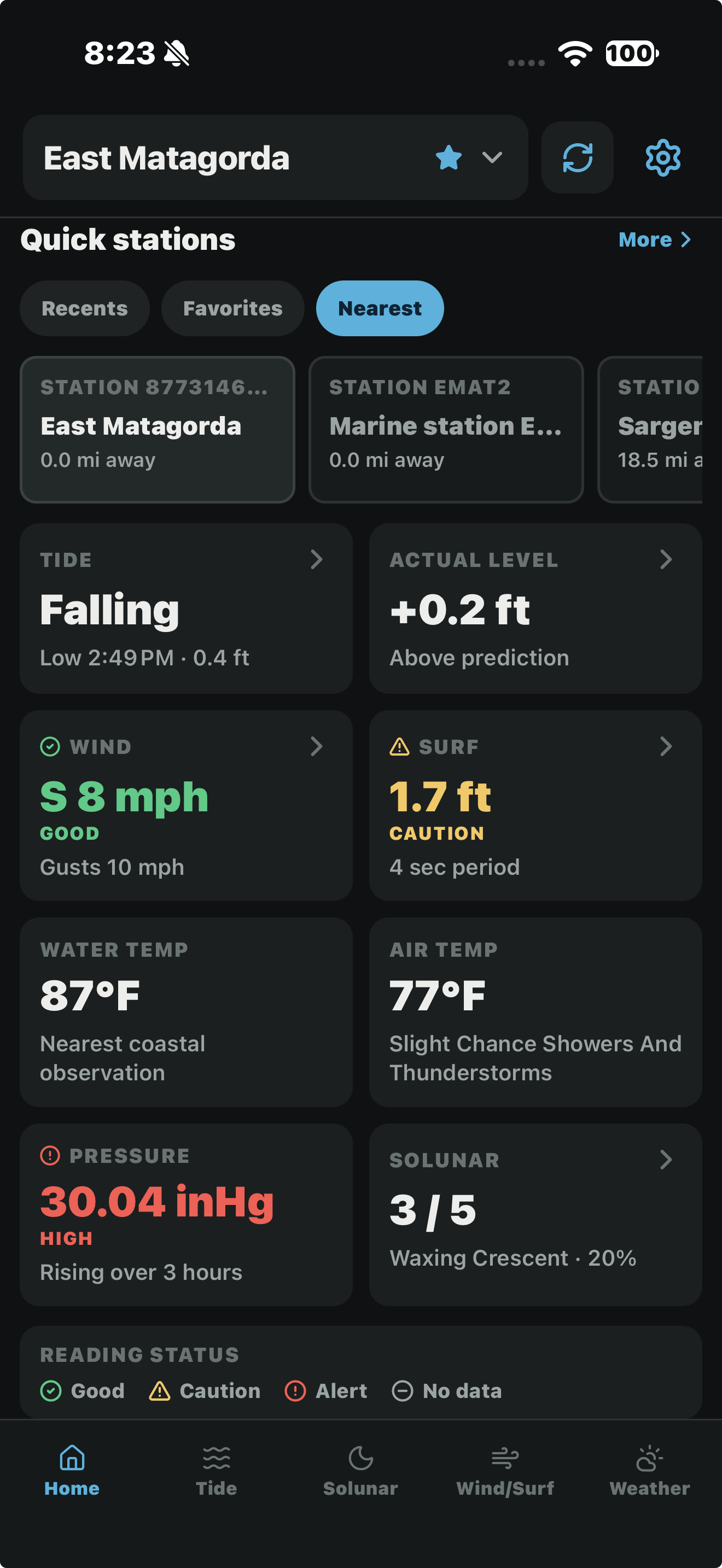
Your station. One clear overview.
See tide direction, the difference between observed and predicted water levels, wind, surf, temperature, pressure, and solunar ratings together on the Home screen.
Quick stations keep recent, favorite, and nearby locations within reach. Reading-status labels help you spot good, caution, alert, and unavailable readings before exploring the details.
Every tide window, mapped out
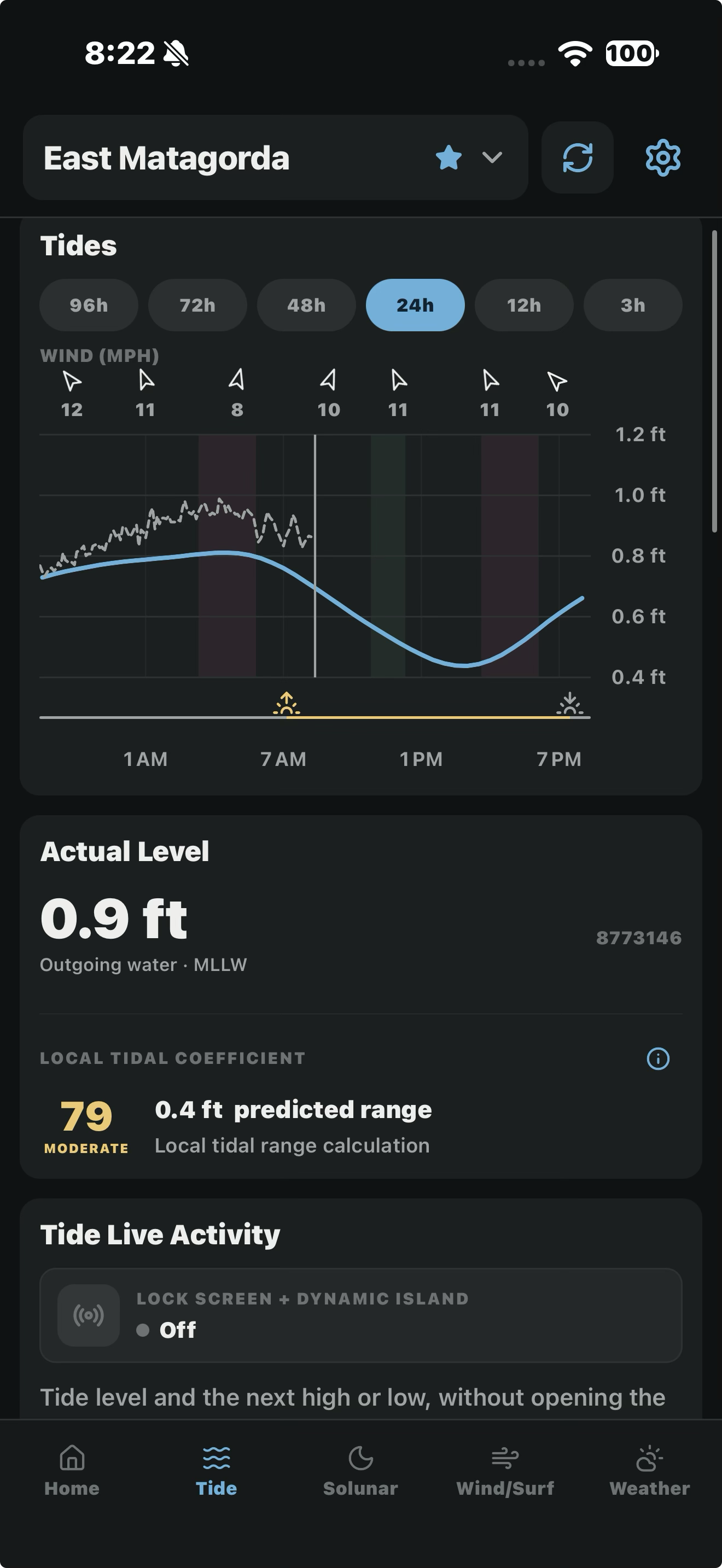
Choose a NOAA station and compare predicted tide heights, upcoming highs and lows, and wind forecasts on one timeline. Zoom in on the next tide change or look ahead to plan your trip.
Actual level, not just prediction. Where observations are available, compare the latest measured water level with the prediction. Check the observation time and any stale or unavailable labels; some stations provide predictions only.

Wind you can see moving
An animated map visualizes forecast wind direction around your selected station. Compare hourly wind, wave, pressure, and temperature forecasts, with range and coverage depending on the data source.
Switch over to the surf view for a 24-hour wave-height and period chart, plus a calm-to-rough color scale to help compare changing conditions. Forecasts are estimates and local conditions can differ.
Wave height and period, hour by hour
Wave height and period are tracked separately on the same chart, so you can tell a short, choppy period apart from a longer swell at a glance, instead of relying on a single "surf" number.

Radar that scrubs back and plays forward
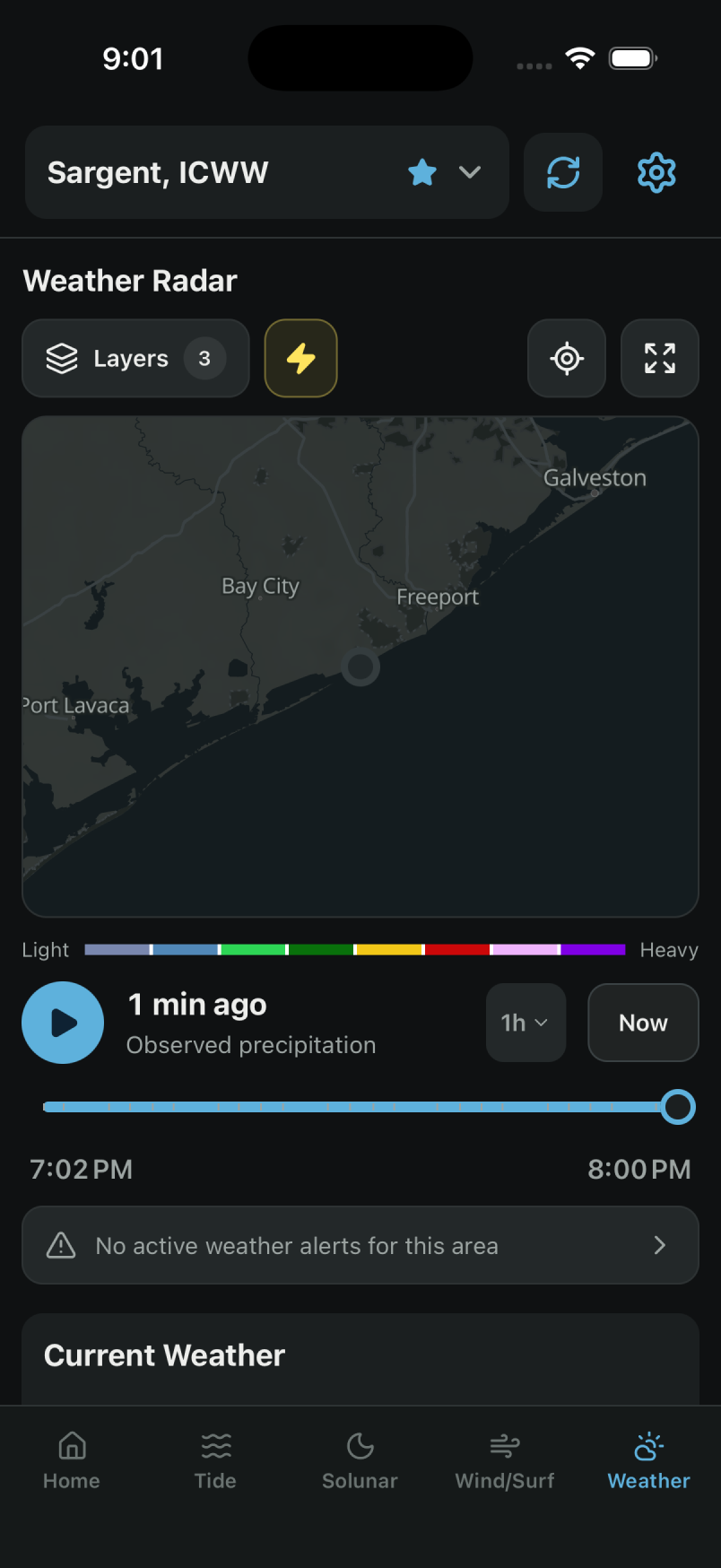
Explore recent NOAA radar frames and available lightning-density imagery on a scrubbable timeline. Future precipitation, when available, is a separate model forecast. Coverage, timestamps, and unavailable-data messages matter: a blank map does not mean conditions are clear.
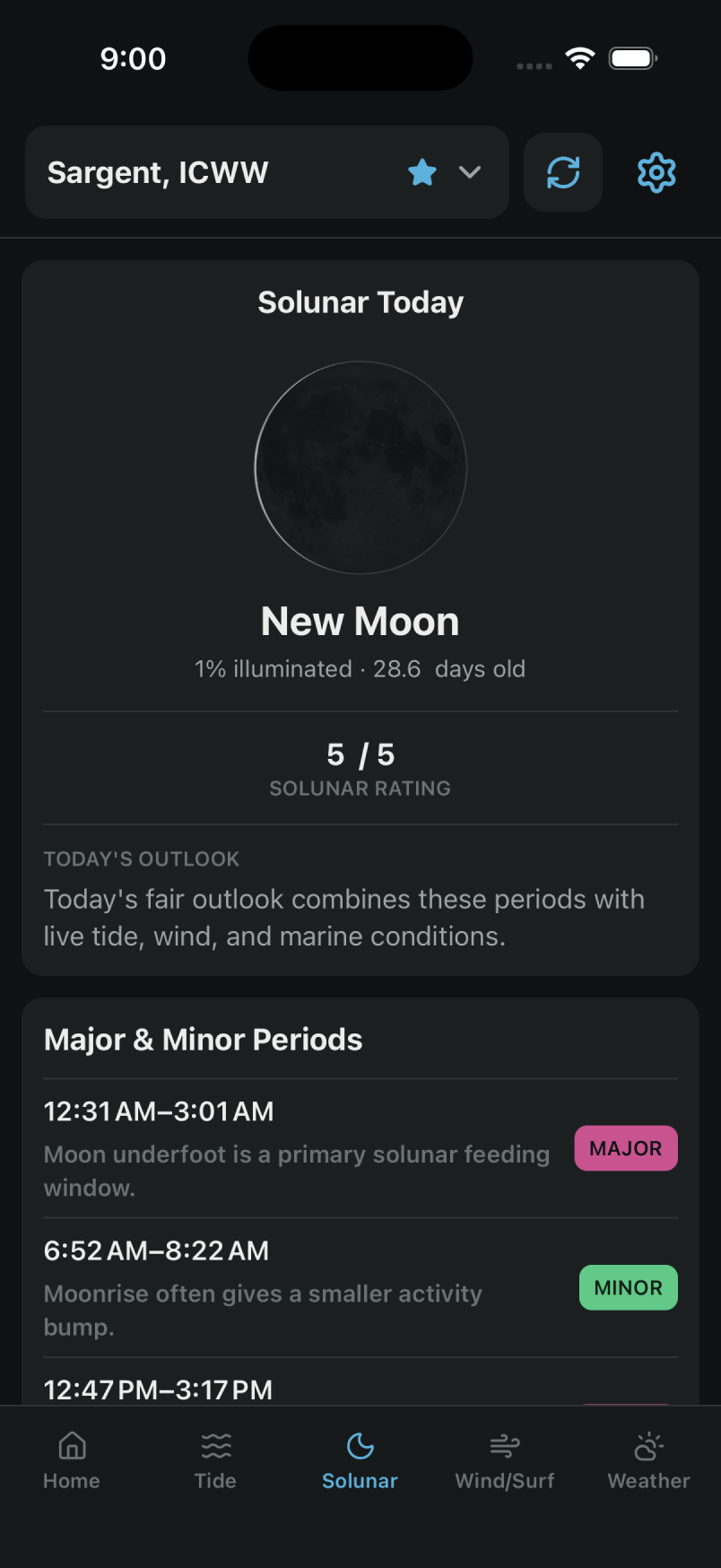
The bite windows, not just the forecast
Compare moon phase, illumination, and estimated major and minor solunar periods. The app calculates these fishing-planning indicators; ratings are estimates, not a guarantee of fish activity or a catch.
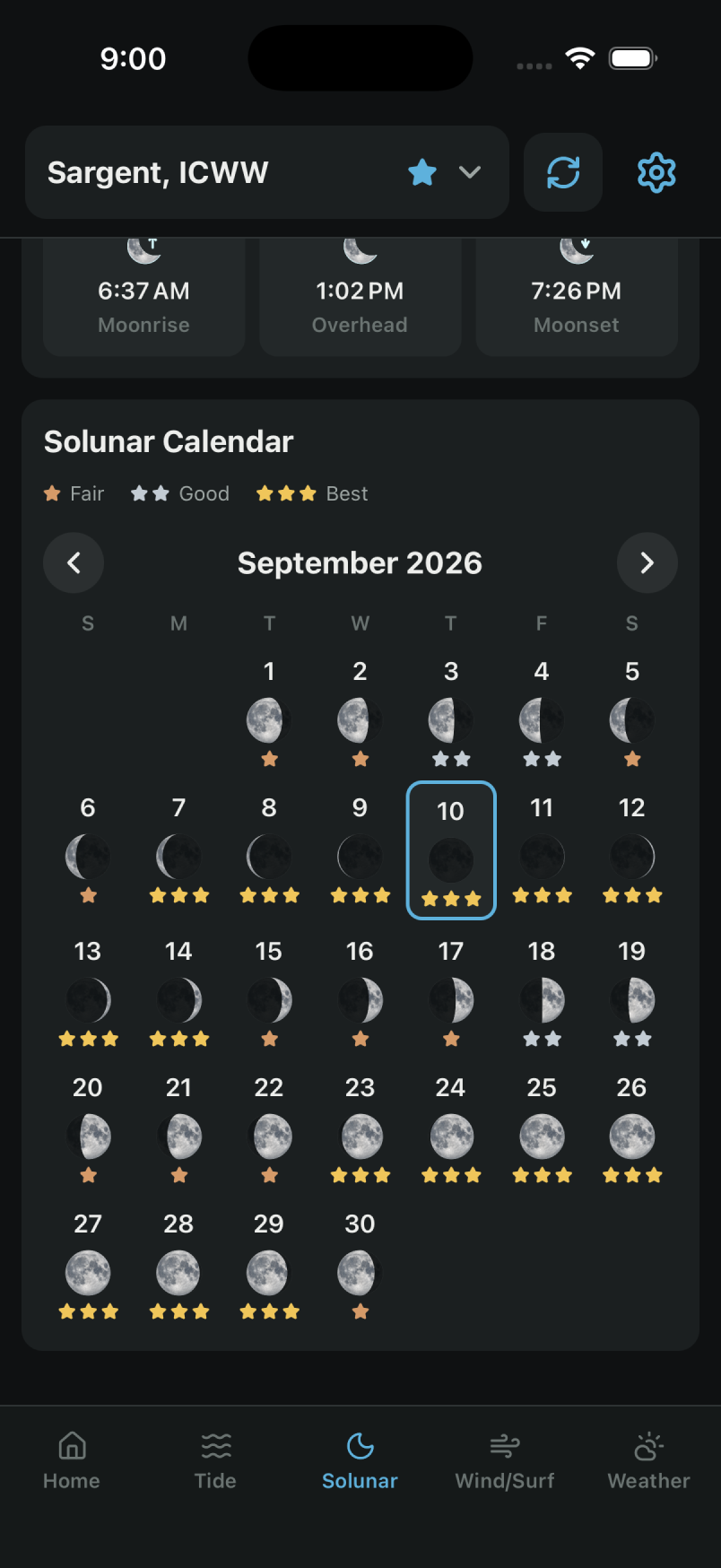
See the whole month before you pick a day
Browse daily solunar ratings and moon phases across the month. Use them as one planning input alongside tides, weather, local knowledge, and fishing regulations.
One synced picture of the water
Built around one station at a time
Tides, wind, surf, weather, and solunar all key off the same saved station — so you can compare them in one place. Observations and forecast grids may represent different nearby locations and update at different times.
Says when data is stale
Check timestamps and stale-data labels to understand how recent a reading is. Refresh and connectivity depend on your device and the provider.
Rates the whole month
Solunar scoring runs weeks ahead, not just for today, so a trip can be planned around a strong window instead of hoping for one.
Wind you can watch move
An animated flow map helps you visualize forecast wind direction around your station. The animation represents forecast data, rather than a live sensor feed.
Questions
Where can I download Coastal 360 Pro?
How much does Coastal 360 Pro cost?
What stations and areas does it cover?
Does it include widgets and Apple Watch?
Do I need to share my location?
A planning companion
Coastal 360 Pro is not a navigation system, an emergency service, or a substitute for official marine forecasts and warnings. Conditions can change quickly. Check official sources and local conditions before heading out.
Get Coastal 360 Pro
Tides, weather, and fishing forecasts for iPhone, iPad, and Android.